
Are you new to WordPress and are trying to understand the differences between WordPress.com and WordPress.org? Want to start your own blog or website and don’t know which is best for your needs?
You’re not alone!
No business would ever name a product exactly the same name as another. They wouldn’t be allowed to. But that’s what we have here.
Two different products that have similarities but are entirely different. They have different features, different strengths and weaknesses and different target markets.
Both are content management systems designed to power websites but they go about it in completely different ways.
If you’re trying to figure out which platform might be best for your next project, ‘WordPress.com vs WordPress.org – What’s different and which is better?’ is here to help!
WordPress.com vs WordPress.org Comparison
If you’re in a hurry, the key differences between WordPress.com and WordPress.org are:
WordPress.com – A hosted blog publishing platform that enables you to create a blog quickly and publish blog posts. Limited in scope but easy to use a everything is taken care of for you.
WordPress.org – Free and open source, self-hosted content management system (CMS) that depends on a domain, web hosting and setup. It requires a little more work but delivers much more freedom. When people refer to ‘WordPress’ they usually mean WordPress.org.
If you are not in the mood to read the complete article, I suggest you to check out our recent video on WordPress.com vs WordPress.org.
| WordPress.com | WordPress.org | |
| Primary features | ⭐⭐⭐ | ⭐⭐⭐⭐ |
| Running Costs | ⭐⭐⭐ | ⭐⭐⭐⭐ |
| Theme options | ⭐⭐ | ⭐⭐⭐⭐⭐ |
| Plugin options | ⭐⭐ | ⭐⭐⭐⭐⭐ |
| Support options | ⭐⭐⭐⭐ | ⭐⭐⭐ |
| Security | ⭐⭐⭐ | ⭐⭐⭐⭐ |
| Migration options | ⭐⭐⭐⭐ | ⭐⭐⭐⭐ |
| eCommerce options | ⭐⭐ | ⭐⭐⭐⭐⭐ |
| Monetization options | ⭐⭐⭐ | ⭐⭐⭐⭐ |
| Ease of use | ⭐⭐⭐⭐ | ⭐⭐⭐ |
Primary Features
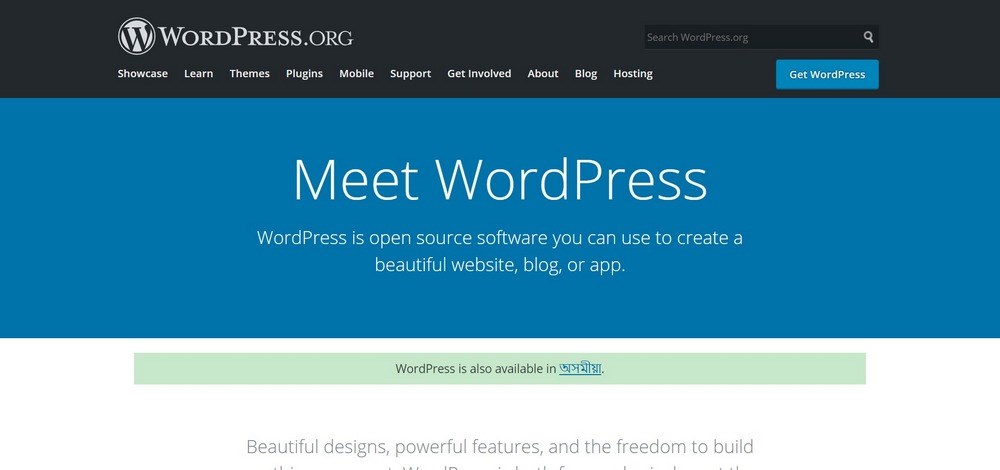
What are the main features of WordPress.com and WordPress.org? What are their main selling points?
WordPress.com is a hosted platform that makes it simple to begin publishing your own blog or website. There is no setup, no maintenance and no worry.
If you’re looking to start a personal blog, experiment with a new niche or just want to be creative with very little effort, WordPress.com delivers.
It has a free membership tier with basic tools to help you publish. Should you want to take it further, premium tiers add features such as the ability to remove ads, use a unique domain name, add themes and plugins and customize your website.
Key features of WordPress.com include:
- Fully hosted platform with zero maintenance
- Simple user dashboard with logical navigation
- Fully responsive out of the box
- Built-in social networking tools
- SEO friendly
- Analytics tools
WordPress.org is the self-hosted content management system used by 40.1% of all websites. It is dependent on you having a domain and a web host and may require setup. Once done, managing the site is very straightforward with much of it capable of being automated.
WordPress is free and open source so your main costs will be hosting, the domain name and any premium themes or plugins you use. The latter two are entirely optional.
WordPress.org provides the framework from which you can build any website, eCommerce store, blog or anything you like.
Key features of WordPress.org include:
- Free and open source content management system
- Thousands of WordPress themes and plugins available
- Intuitive user dashboard similar to WordPress.com
- Fully responsive and SEO friendly
- Can be expanded almost infinitely
- Complete freedom to express yourself your way
Running Costs
We know that WordPress is free and open source but how much do both platforms cost to run?
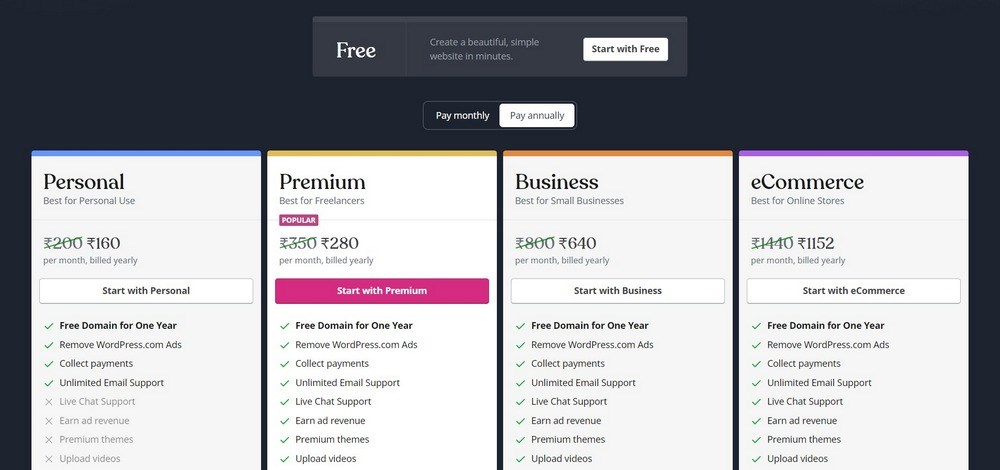
WordPress.com is free to use but has premium plans. The free version costs nothing to set up an account and is free to create a blog and free to publish on that blog. You cannot monetize the blog though so no ads, no online store and no selling merch.
The free version does restrict you to a WordPress.com domain, places ads on your pages, limits you to 3GB of disk space, doesn’t support video and has few extra features.
There are premium plans that have many more traditional website features. They allow you to create a store and sell products, use your own domain name, remove ads, monetize your website and a lot more besides.
Those plans cost from $4 up to $45 per month and offer an increasing number of features depending on your needs.
WordPress.org is also free to use. You will need to buy web hosting and a domain name but those can be had for as little as $20 per year. You can monetize your website, you can run ads, you can set up a store and you can sell merch or anything you like.
There are also free and premium WordPress themes and plugins you can use with WordPress.org but these are entirely optional. There are thousands of great quality free WordPress themes out there, including our very own Astra.
Running Costs – Verdict
The free tier of WordPress.com is excellent for experimenting and trying out a niche. It has a low barrier to entry, takes minutes to set up and can be up and running in minutes.
Realistically, once your blog is up and running, you’re going to want a subscription plan to support video and remove ads if nothing else. That will cost from $8 per month ($48 per year) as the cheap plan doesn’t support video.
WordPress.org is free to set up and use but will need a domain name and web host. Depending on your host, you could be paying $20 upwards for both. We would recommend managed WordPress hosting later on but you don’t need it to begin with.
We consider WordPress.org to make the most sense financially. You can pay less than a WordPress.com subscription and still have the freedom to do whatever you like.
Theme Options
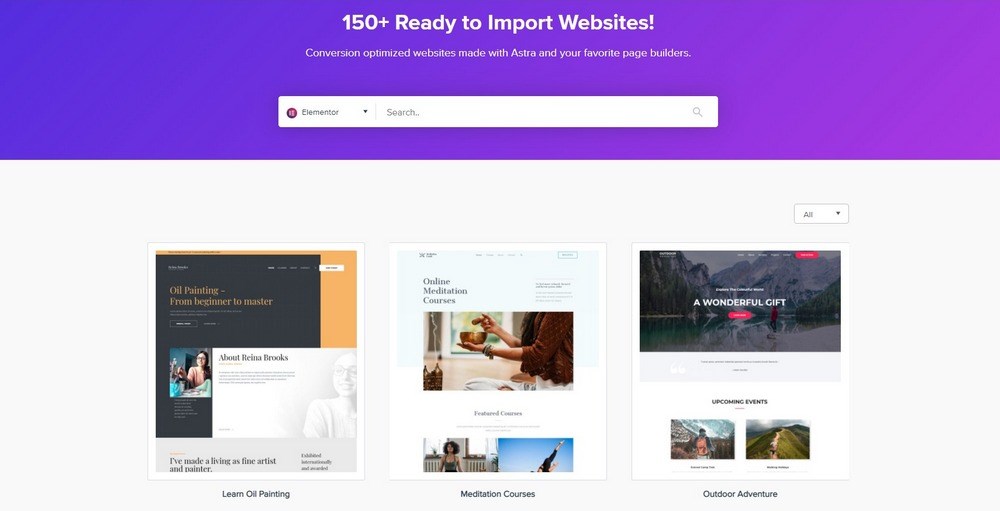
A theme is only skin deep but it’s your opportunity to be unique. So which option offers more flexibility for theming?
WordPress.com – The free and Personal subscription plan offers access to free themes while higher tier plans offer access to premium themes. There are over 150 themes available so there should be something there you can use.
You cannot upload your own themes or plugins no matter what plan you use.
WordPress.org – You have complete freedom to theme your website as you like. There are many thousands of free WordPress themes you can use. There are also many thousands of premium themes that cost anywhere from $20 up to $300.
Our own Astra theme has hundreds of high quality free website templates and even more premium ones!
Theme Options – Verdict
This is a clear win for WordPress.org. You have complete freedom to use whatever theme you like and even make your own. There are thousands of free themes and even more premium ones.
WordPress.com doesn’t leave you hanging though. There are a wide range of decent free and premium themes you can use with the platform. It’s just a shame you cannot upload your own.
Plugin Options
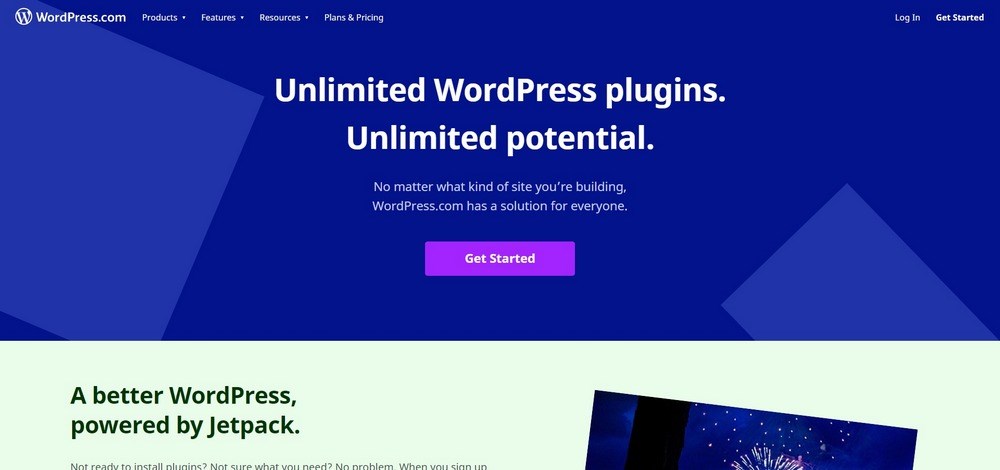
Plugins can add essential features missing from the core system or improve those already present. So which platform offers more options?
WordPress.com – Unless you go for the top tier Business ($300 per year), or eCommerce ($540 per year) plans, you cannot use your own plugins. There are plugins available from within the ecosystem though. Only in those two top tiers can use you use your own plugins.
WordPress.org – As you control everything, you can use whatever plugins you like on your website. There are many thousands of plugins available, including our own Convert Pro, Schema Pro and WP Portfolio.
Many plugins are free while others are paid for. Theoretically, you could power your website with as many plugins as you could use without paying anything extra.
Plugin Options – Verdict
This is another clear win for WordPress.org. You have complete freedom from the very beginning to use whatever plugins you like, however you want. Use free plugins, use premium ones, it’s entirely up to you.
We can understand why WordPress.com locks them behind their most expensive subscription tiers, otherwise people wouldn’t buy them. However, this also means the platform can be placed out of reach of the majority of individuals, clubs, small businesses and non-profits who use specific plugins.
Support Options
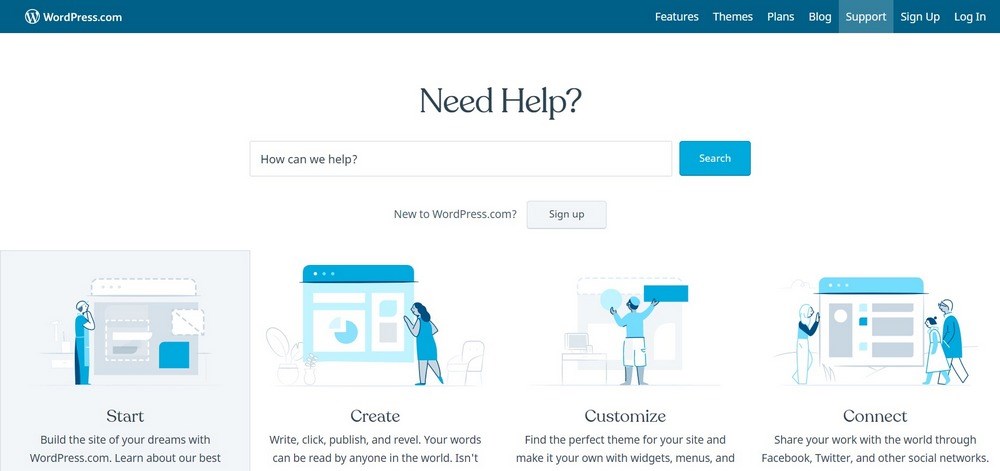
Who will be there when you need a little help? What support is available if you need it?
WordPress.com – There is no support for free plans and email and live chat for subscription plans. There is also a host of documentation available and a very helpful community both on the WordPress.com forum and elsewhere on the internet.
WordPress.org – There is no formal support for WordPress either. There is support for premium themes and plugins but not for the platform itself.
However, WordPress has impressive amounts of documentation and a helpful community. There are also resources across the internet offering help with WordPress, including the Astra blog.
If you have issues with your hosting, your provider will have their own formal support processes.
Support Options – Verdict
We think WordPress.com comes out on top for support. While the free plan doesn’t have any, even the cheapest subscription has email and web chat support.
WordPress.org has nothing. That doesn’t mean you’re left on your own though as there are thousands of resources across the internet covering every conceivable issue you could ever face.
Security
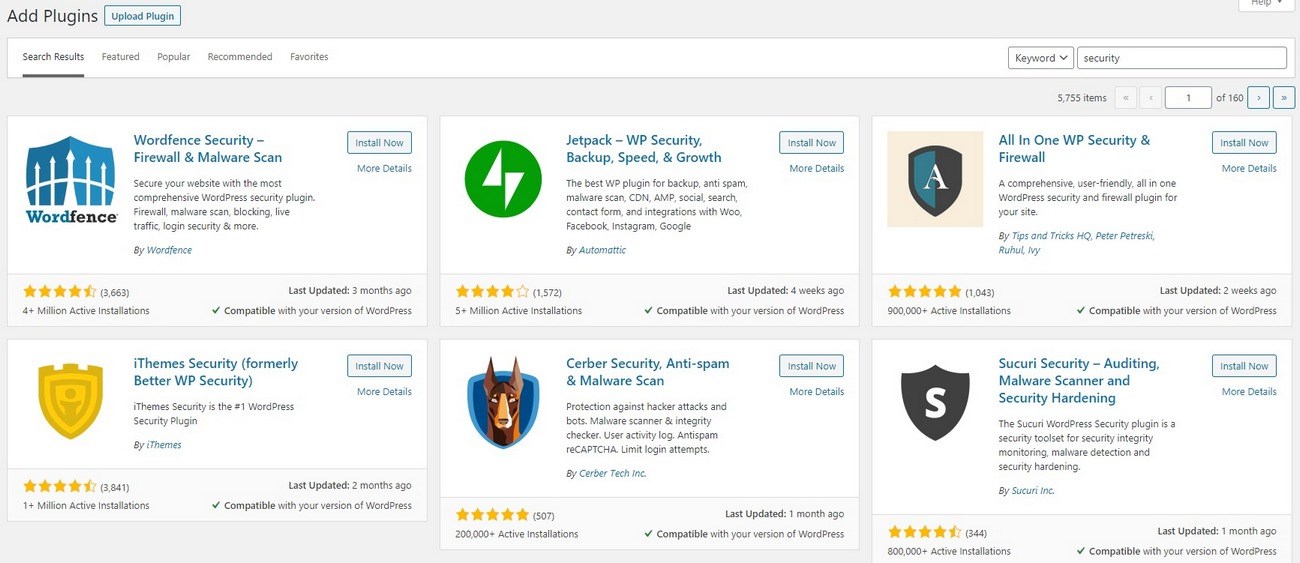
As the internet is still akin to the wild west, securing your website is essential. So, which platform offers more protection?
WordPress.com – As a hosted solution, you’re entirely dependent on the company to keep your website safe. There are backups included with subscription plans and you can use plugins if you use Business or eCommerce. Otherwise, it’s out of your hands.
As far as we know, there have been no serious breaches at WordPress.com so it isn’t all bad news!
WordPress.org – WordPress is open source so everyone can see how it works and contribute to making it safer. A default install on a good quality web host is actually quite secure.
You can increase that exponentially with some well chosen WordPress security plugins and by following some security best practices.
Security – Verdict
While WordPress.com has no record of being hacked, we don’t like the idea of being totally dependent on someone else for our security. Call it paranoia, call it whatever you want but we like to be in control of our own destiny.
That means WordPress.org gets the win. While it may be targeted a lot more due to its popularity, the quality and number of security plugins out there, plus secure web hosts mean it’s a relatively secure platform to use.
Migration Options
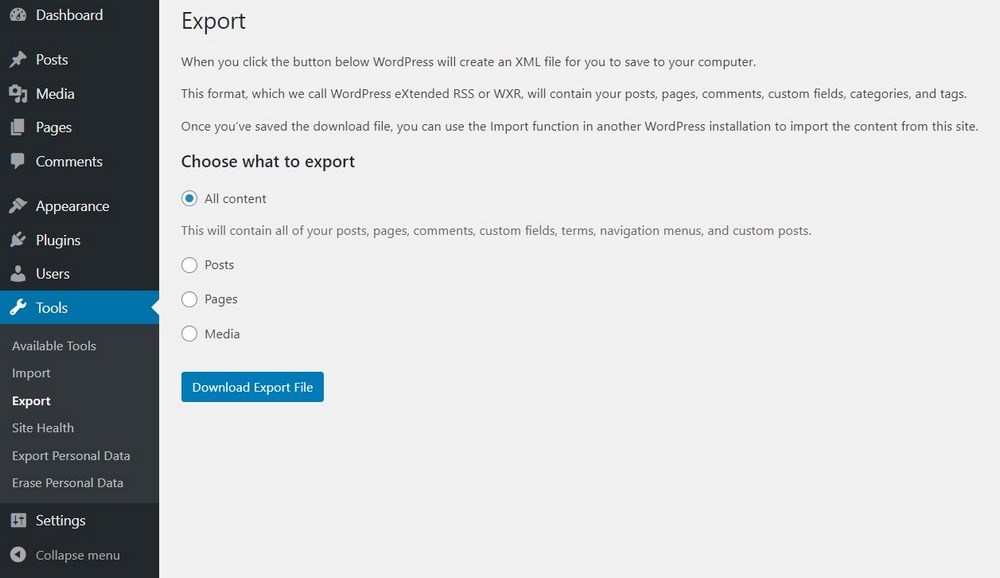
What if you want to move your website somewhere else? Is it possible? Which platform makes it easiest?
WordPress.com – There is a specific Export tool within WordPress.com that makes short work of migrating away from the platform should you wish to. It creates an XML file with your posts, pages, images, comments, categories, tags and anything else you want to export.
You can then import to any website platform that works with XML, which is all of them.
WordPress.org – Should you ever want to leave WordPress, you can. There are various tools around to convert WordPress to Joomla, to Drupal and to other web formats.
WordPress also has its own export tool you can use to create an XML file of everything on your website.
Migration Options – Verdict
While it may seem that WordPress.com is a clear winner here, we don’t think it’s quite so clear.
While migration away from WordPress.com is simple, there are many reasons why you would want to migrate from WordPress.com to WordPress.org.
Migrating from WordPress.org is more complicated but there are far fewer reasons why you would want to. It’s the best CMS out there, it can do anything you want and the only reason we can think of to move from WordPress is if you have a custom CMS built for you.
Not many people can afford that!
So let’s be fair and call this a draw. WordPress.com makes it easy to migrate but you are more likely to want to.
WordPress.org is slightly more problematic but there is a far lower likelihood that you would ever want to leave.
eCommerce Options
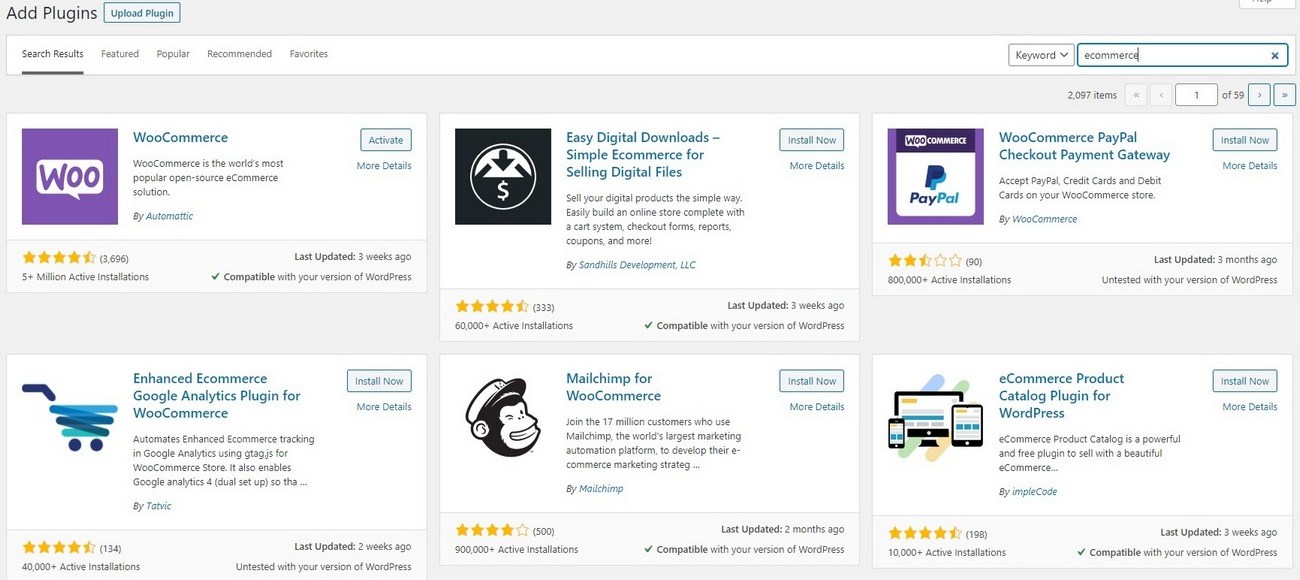
If you want to expand into selling online, which platform makes it easier?
WordPress.com – eCommerce is possible on all paid subscriptions as the platform allows you to take payments. You will need Premium and above to accept PayPal and Business or eCommerce to install plugins or themes and remove the WordPress.com branding from your pages.
There is no dedicated store setup but you can convert your blog into a store, customize eCommerce themes and use some marketing tools.
WordPress.org – WooCommerce. That’s all you need to know.
WooCommerce is a plugin that turns any WordPress website into a fully operational online store. It’s free, easy to set up, and comes with a range of built-in tools and access to free and premium extensions.
You also have the freedom to use WooCommerce themes, add powerful marketing plugins to help promote your store and integrate your store with marketing tools, CRM, analytics and everything necessary to make it a success.
eCommerce Options – Verdict
This is an easy win for WordPress.org. To be fair to WordPress.com, it isn’t designed as a store and doesn’t pretend to be.
But. WordPress.org isn’t designed as a store either. Yet WooCommerce effortlessly converts it into a fully operational online store with all the tools you need to grow.
Monetization Options
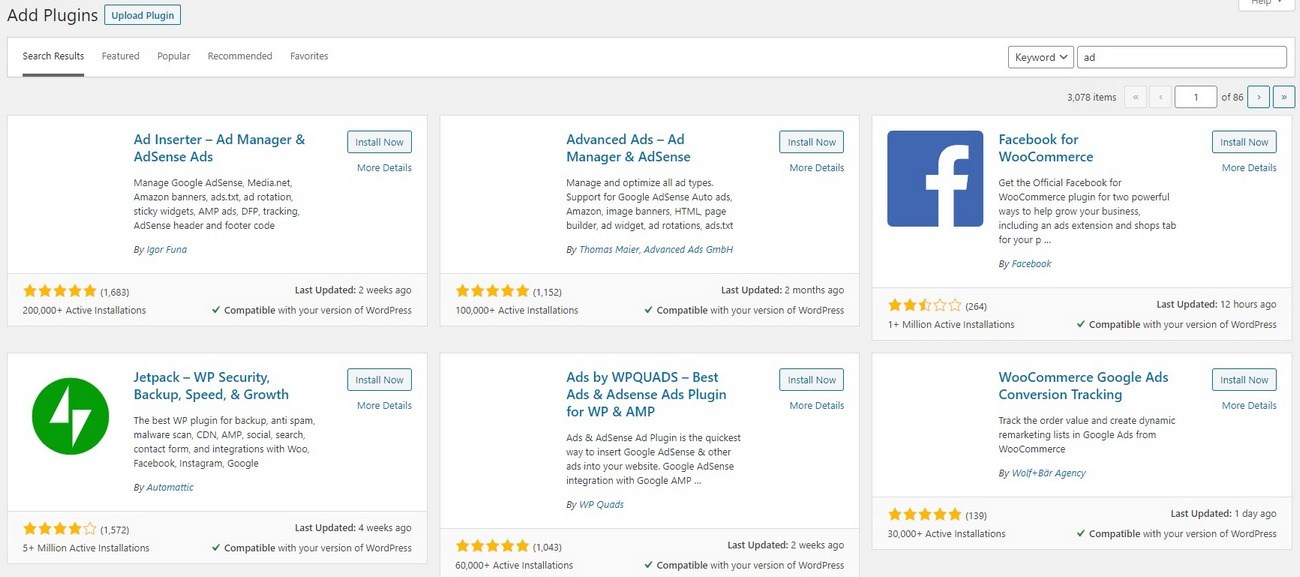
If you want your website to work a little harder for you, monetization is the answer. So, which offers more scope to earn?
WordPress.com – The Free and Personal plans have no monetization options. In fact, WordPress.org places its own ads on your pages on the Free plan. The Premium, Business and eCommerce plans can all be monetized though.
WordPress.org – It’s your website, monetize it however you want. Use Google Ads, affiliate marketing, sponsored posts and any method you like to make a little money!
Monetization Options – Verdict
Another easy win for WordPress.org. It’s your website to run how you please and if you want to make a little money from it, you are completely free to do so. Without having to pay for a premium plan to do it.
WordPress.com does allow monetization but only on the Premium, Business and eCommerce plans.
Ease of Use
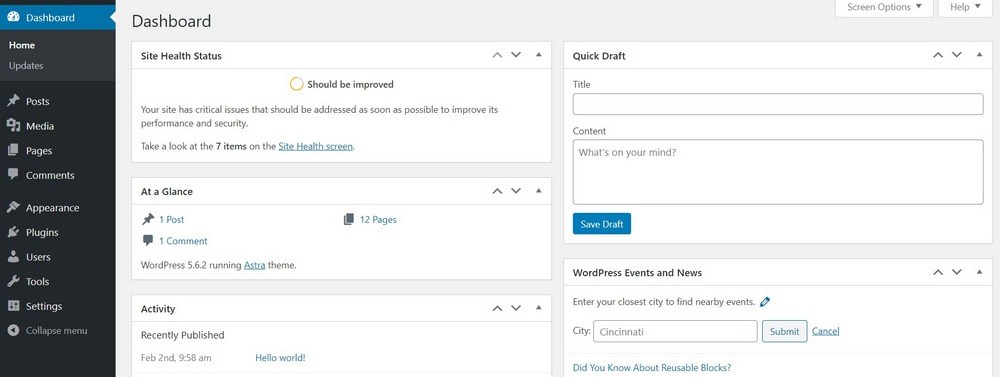
Which platform offers the easiest way to publish content and run a website?
WordPress.com – The platform is designed to be accessible and easy to use. There is no setup required, no installation, no databases to worry about and no maintenance. Everything is taken care of for you unless you want to go further with a business website or online store.
You can manage multiple blogs from the same dashboard, publish posts with ease, add images and perform most daily tasks in seconds. It’s a very easy system to live with.
WordPress.org – WordPress is also very easy to use once it’s set up. There is a setup process that you don’t have with WordPress.com and there is maintenance do to.
You have to manage your own backups, keep WordPress, themes and plugins updated and manage your own security. While all that is very easy with the right plugins, these are all tasks you don’t have with WordPress.com.
Otherwise, posting and the day to day running of your website is similar to how WordPress.com manages things.
Ease of Use – Verdict
Ease of use is another of those comparisons that isn’t as clear cut as it seems.
On the surface, WordPress.com is the easiest to use. It requires no setup, no installation, no managing plugins or databases and very little maintenance. It’s about as easy as publishing gets.
But, once you’re familiar with how WordPress.org works, you’ll also find it easy to use. Setup is simple, a wizard shows you everything, WordPress now updates itself, plugins can all be updated at once and day to day running of the website is simple.
To be fair, WordPress.com is easier to use for newcomers and that’s who this guide is for. Therefore, it gets the win.
Pros and Cons
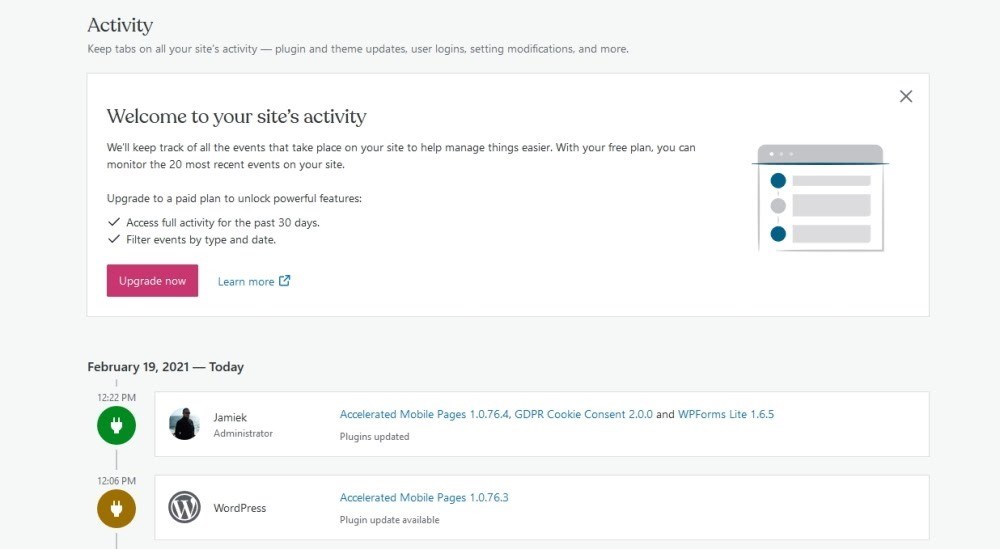
Still unsure about which platform to choose for your project? Let’s have a quick look at some pros and cons.
Pros of WordPress.com
- Free to use if you need a basic blog
- No setup or maintenance
- No hosting requirement
- Can be themed with premium tiers
- Can add plugins with premium tiers
- Accessible to anyone with an email address
Cons of WordPress.com
- Free plan is very limited
- Ads are shown on free plans
- Will need premium plans for anything other than personal blogs
- Little freedom to theme or add plugins
- Premium plans can cost more than web hosting
Pros of WordPress.org
- Free and open source
- Setup wizard walks you through first steps
- Complete freedom to design and build your website
- Can add themes and plugins
- Easy to convert or add a store
- Literally unlimited potential to grow and expand a website
Cons of WordPress.org
- More work to set up
- Requires domain name and hosting
- Maintenance and security is on you
WordPress.com vs WordPress.org FAQs
We see a lot of questions around these two platforms so let’s clear a few of them up right here.
Should I use WordPress.com or WordPress.org?
Are WordPress.com and WordPress.org the same company?
Which is more secure WordPress.com or WordPress.org?
Can I transfer my WordPress.com to WordPress.org?
WordPress.com vs WordPress.org – Which Is Best?
This is a tough question but does have some clear answers.
WordPress.com is best if you want to experiment or play around with ideas without having to commit much time or money.
It is also best for new bloggers finding their feet, for those who just want to express themselves or for those not interested in monetizing their work.
If you just want to sign up, sign in and begin publishing, WordPress.com is perfect.
WordPress.org is best for everyone else. If you want to run a business website, run a hobby site, create an online store, or simply blog, WordPress is where you go.
Many web hosts can set up WordPress for you, it has a similar methodology to WordPress.com and none of the downsides. As long as you don’t mind learning a little about how the system works and how to keep it secure, it’s the ultimate website platform!
Which do you think is best? Do you use either or both? Have we missed any obvious pros and cons for WordPress.com and WordPress.org? Tell us your thoughts below!



No Content
Disclosure: This blog may contain affiliate links. If you make a purchase through one of these links, we may receive a small commission. Read disclosure. Rest assured that we only recommend products that we have personally used and believe will add value to our readers. Thanks for your support!


I found out too late that Astra only works onnWordPress.org, and not WordPress.com. I already spent the money for the plugin that doesn’t work. What do I do?
Hello Charles, yes the Astra does work on WordPress.com as well. If you are facing any issues, please feel free to reach out to our Support Portal with more details so that we can help you out.
Actually, Astra works ONLY on Worpress.com higher plans, not the Personal.
I know because I just made the same mistake
Thanks for the information, Bohdan!
You have mentioned your points in a very proper manner. But I would like to define the difference between wordpress.com and wordpress.org in a very simple way. I hope your readers would like it.
WordPress.com is a hosting platform where you can create a website or a blog. It provides a simplified and user-friendly experience for individuals and small businesses who want to quickly set up a website without worrying about technical aspects
WordPress.org, also known as “”self-hosted WordPress,”” is an open-source software that you can download and install on your own web hosting server. It gives you complete control over your website and allows for extensive customization and flexibility.
Readers, If you want to develop your wordpress website, you can visit an IT company like Alakmalak technologies. They have 17+ years of experience in this field.