

So, you’ve got a major update to carry out on your WordPress site.
Do you throw caution to the wind, perform the update and hope for the best?
Or do you put your site in maintenance mode first?
We strongly recommend putting WordPress into maintenance mode for any big updates or significant changes.
We use it all the time and recommend you do too.
It’s safer, doesn’t interrupt the visitor experience and gives you breathing space to work at a safe pace.
If you haven’t used WordPress maintenance mode before, this post covers everything you need to know.
What Is WordPress Maintenance Mode?
WordPress maintenance mode is when you take your website out of service so you can work on it.
Visitors will see a friendly notice telling them what’s going on while you do whatever it is you need to do.
That way, they don’t land on a 404 page or see “Page not found” and think you have been hacked or that something has gone wrong.
Ever seen this?

This is potentially what visitors would see if you perform a big update on your website without putting it into maintenance mode first.
While friendly and informative, it’s not what a visitor wants to see when they land on a page.
How about if you saw this?
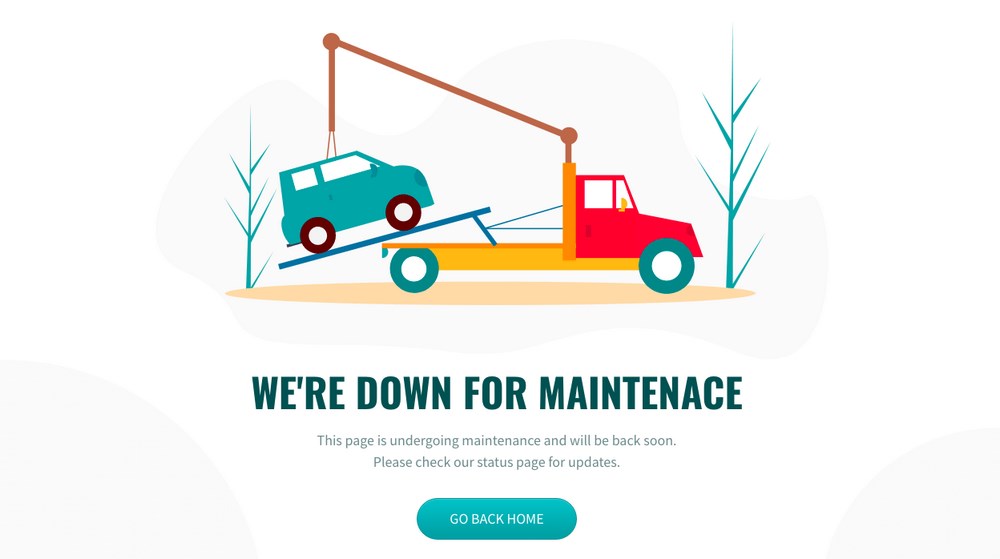
We think it’s much better to have a well-designed maintenance page however polite the 404 page is.
Maintenance pages can include a search function, contact form, or even a countdown timer indicating when the website will be back online.
As long as the page tells the visitor exactly what’s going on, it will work.
When To Use Maintenance Mode
We think you should use WordPress maintenance mode whenever you’re making significant changes during working hours.
Changes could include a significant WordPress update, changing theme, changing security plugin or kind of maintenance on your database.
Anything that could potentially interrupt the user experience should be done behind WordPress maintenance mode.
Performing minor updates, such as publishing content, updating images, updating themes, and specific plugins without using it is fine.
Here’s how we perform significant updates or maintenance on our sites:
- Make the changes on a staging site (clone of your live site)
- Run a test to check everything works as it should
- Plan to perform the maintenance out of hours
- Put the live site into maintenance mode
- Perform the maintenance and test everything
- If everything works, disable maintenance mode and test again
Notice we said out of hours for updates to the live website?
Even though a maintenance page tells visitors exactly what’s going on, we still don’t want to inconvenience them.
That’s why we strongly recommend performing all maintenance and updates at the quietest time.
On Stage
The advantage of setting up a staging site is that you can perform updates and maintenance in a test environment.
Doing it this way means you have nothing to worry about if an update doesn’t go as planned.
If all looks good on the test site, you can push the update to live.
We’ll show you how to create a staging site in a little while.
How To Use WordPress Maintenance Mode
There’s more than one way to put a WordPress website into maintenance mode.
Using a plugin is probably easiest but we’ll show you all the methods we know.
Note: You may not see your website’s maintenance page if you are logged into your WordPress account. You’ll only see it if you log out of WordPress or check the site in incognito mode.
Method 1: Use a Maintenance Mode Plugin
There are a few maintenance mode plugins around but we like LightStart – Maintenance Mode, Coming Soon and Landing Page Builder.
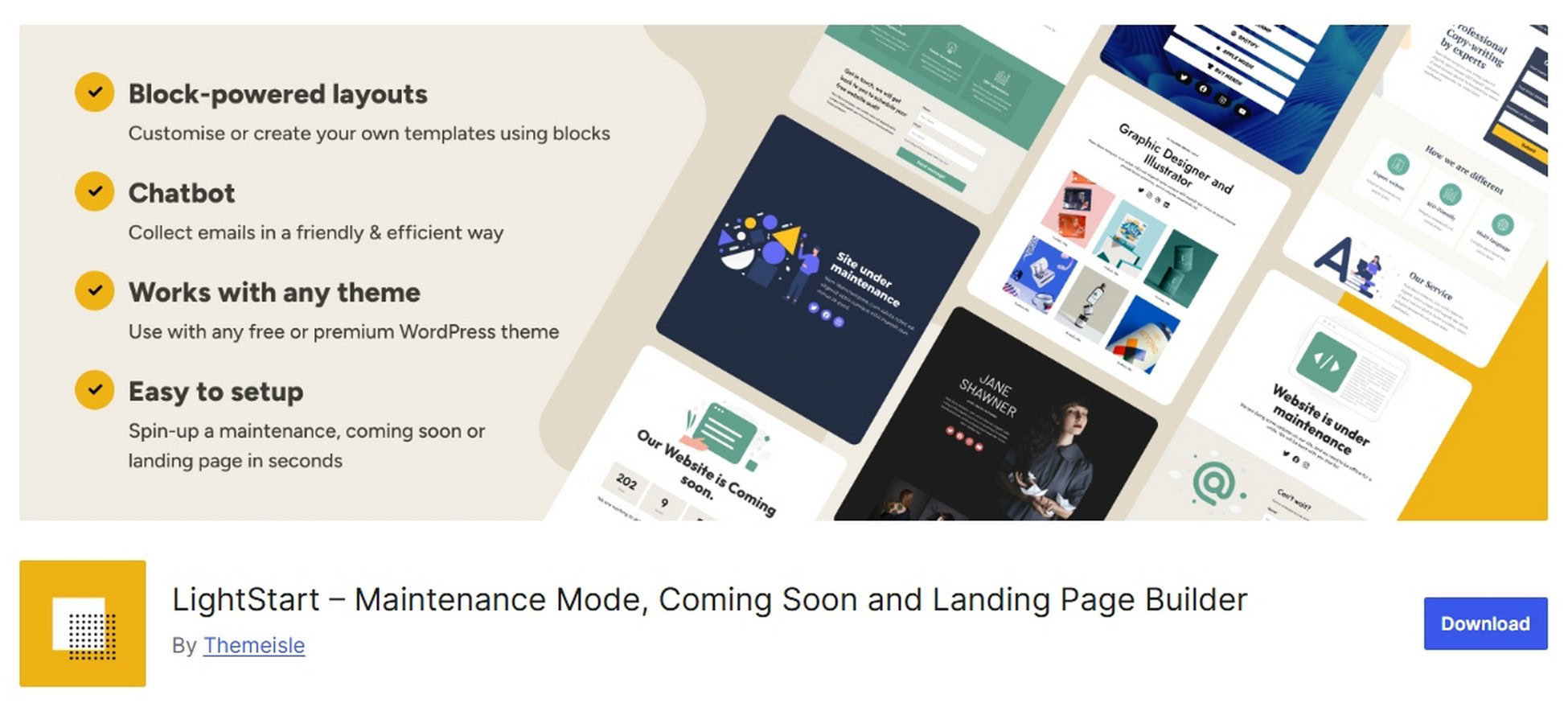
It’s a free, no nonsense plugin that helps you manage maintenance mode with zero fuss.
Install and activate the plugin in the usual way.
You should see a new Maintenance menu item on the left, select it to set up your page.
You’ll notice a green toggle at the top of the page. This tells you the plugin has automatically put your site into maintenance mode.
Toggle it off and save the change immediately if you’re working on a live website.
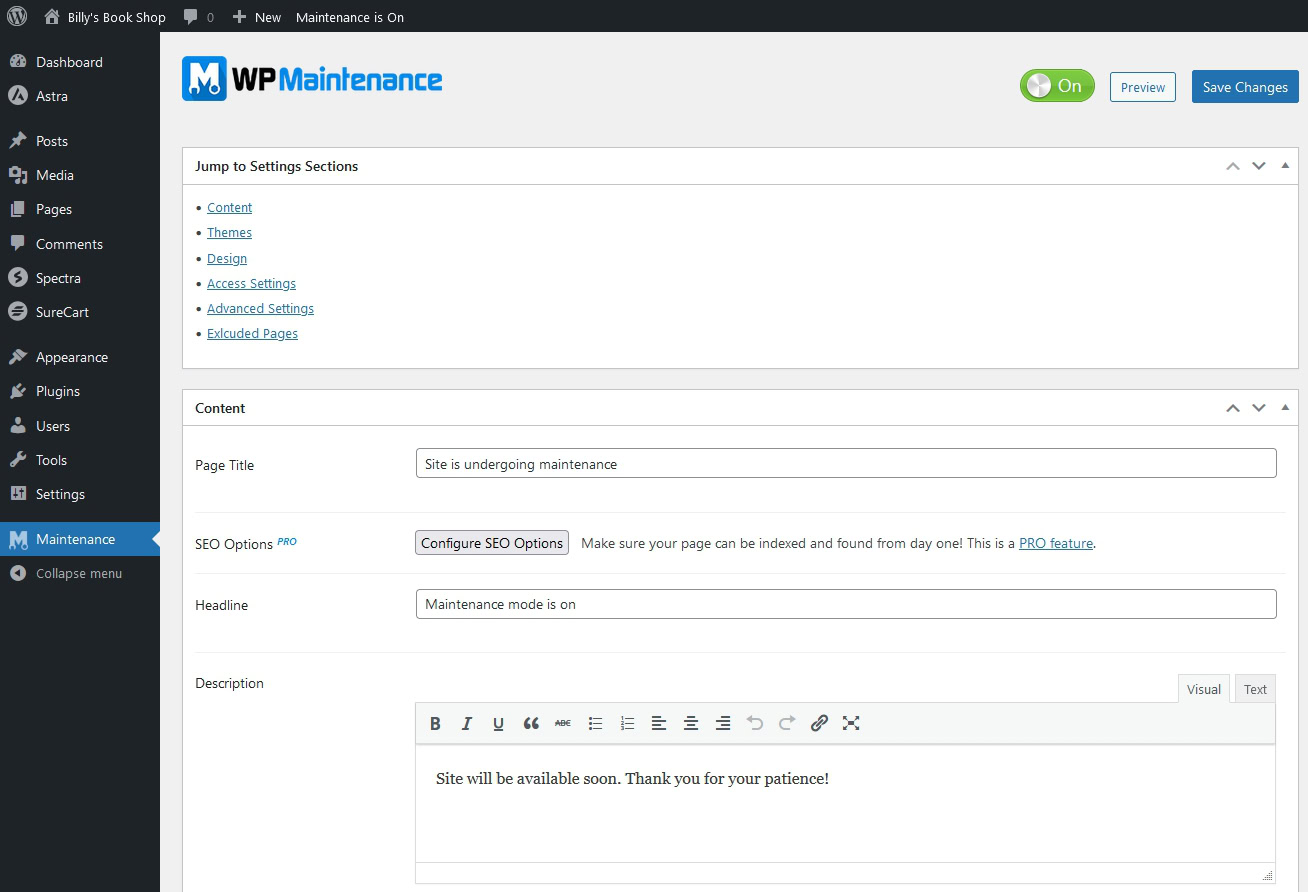
Configure your page using the Content box.
Change the page title, headline, description and other details to fit your requirements.
Scroll past the templates to the Design box to brand the page so it fits seamlessly into your existing theme.
You can optionally include Google Analytics, Pixel tracking and other settings at the bottom of the page.
Select the blue Save Changes button when you’re ready.
Toggle the green button at the top of the page whenever you need to go into maintenance mode.
Hit the blue Save Changes button to activate or deactivate it.
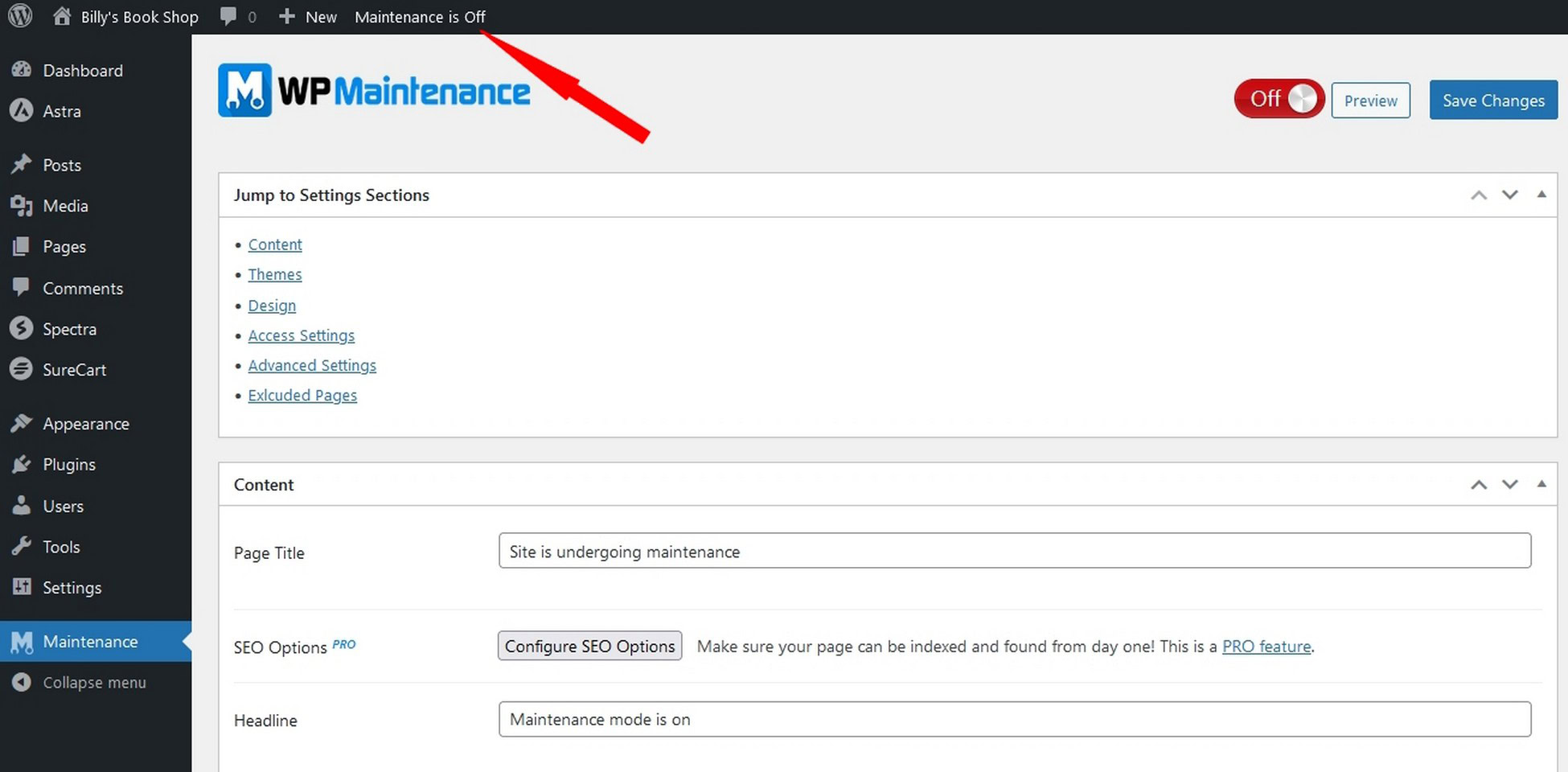
You can quickly see whether maintenance mode is on or off by the notification at the very top of the screen.
Method 2: Elementor Maintenance Mode
If you use Elementor, you can create and display a maintenance mode page.
You’ll need to create a page first.
Select Pages > Add New Page and open in Elementor.
Add a title, text block, image and anything else you want to use and customize everything to fit your design.
We called our page Maintenance Mode for clarity but you can call yours whatever you want.
Save the page once done.
Select Elementor > Tools from the left menu.
Select the Maintenance Mode tab at the top of the page.
Change the dropdown menu by Choose Template and select the page you just created.
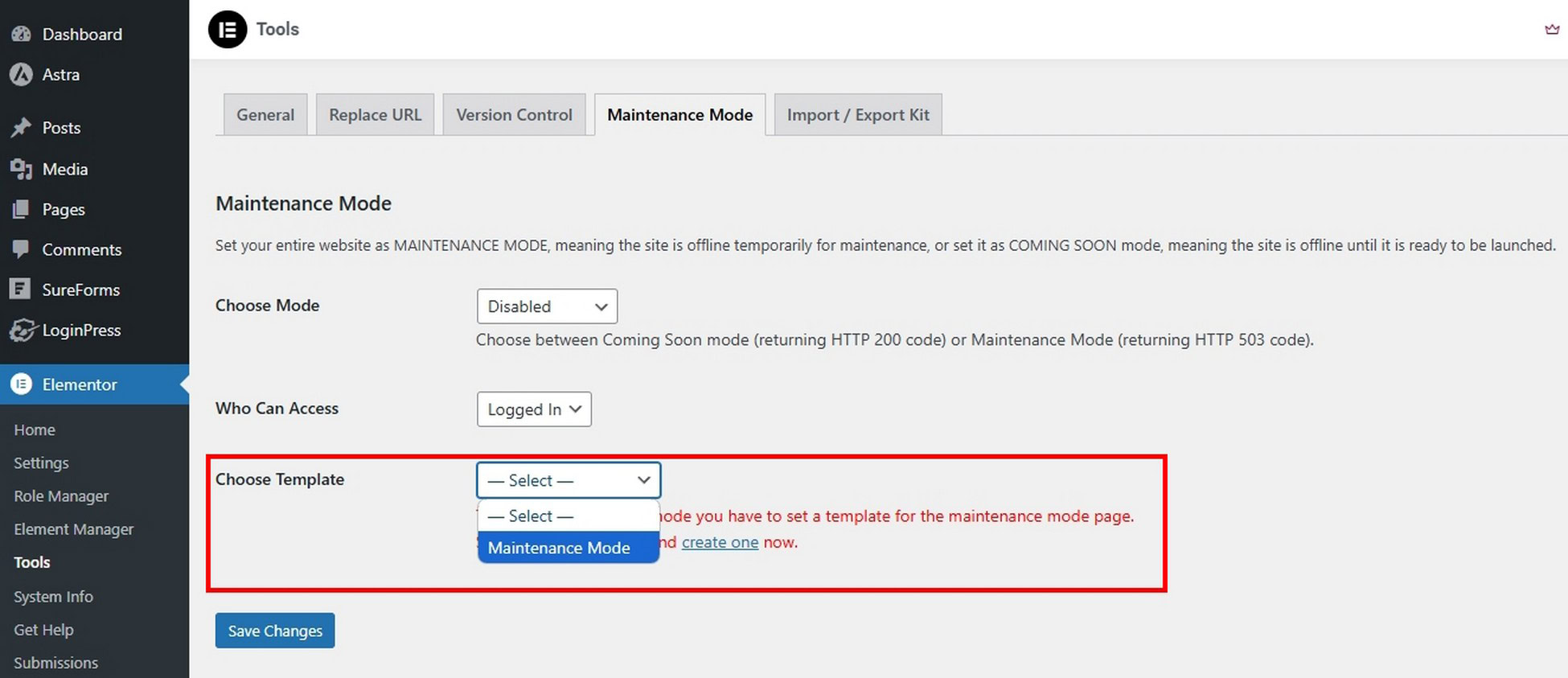
Select the dropdown by Choose Mode at the top to Maintenance.
Select Save Changes.
Notice the red Maintenance Mode On notice at the top of the page. 👇
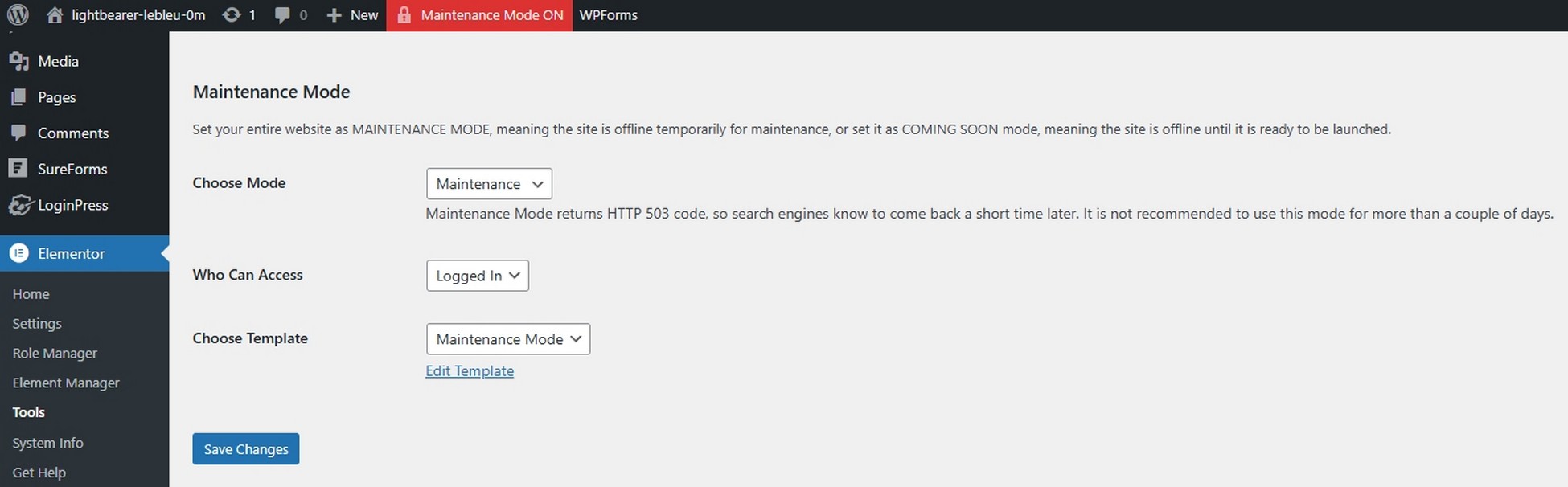
Remember that you’ll need to log out of your WordPress account or view the website in incognito mode to view the maintenance page.
Once you’re finished, select the dropdown by Choose Mode, change it to Disabled and Save Changes.
The red box at the top should disappear and your site should work as normal.
Method 3: Use a Custom Function
This method requires you to edit code, and in particular, the functions.php file.
We wouldn’t usually recommend using this method but it can be a fun exercise so we included it anyway.
If you’re working on your live website we strongly recommend taking a backup first.
If you’re working in a staging environment, there’s no need.
WordPress has a default maintenance page that is automatically set when you update your WordPress version.
You can put your site in maintenance mode manually and customize the page without using additional plugins.
Head over to Appearance > Theme Editor and select the functions.php file.
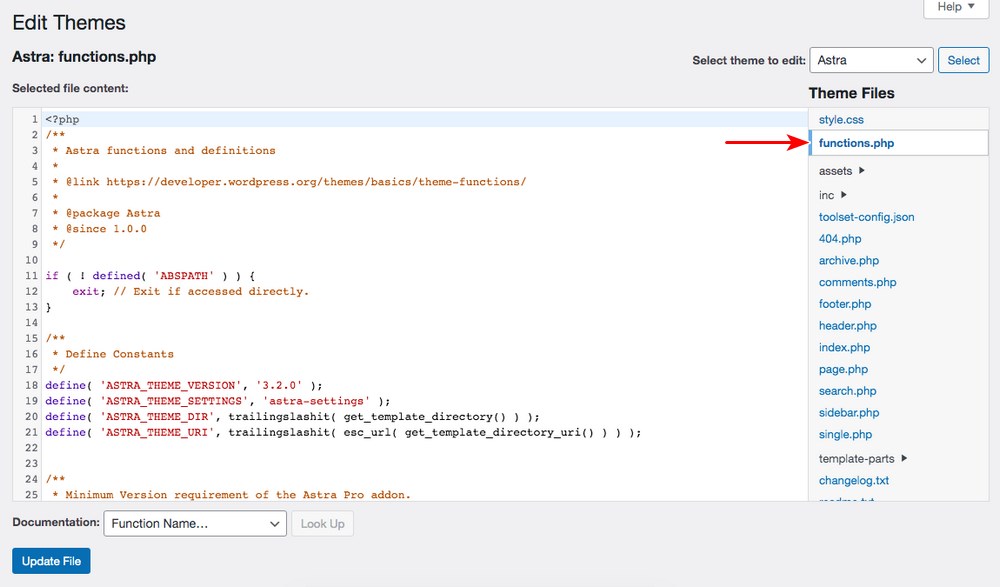
Add the following lines of code to the end of the functions.php file before /**.
// Activate WordPress Maintenance Mode

function wp_maintenance_mode() {

if (!current_user_can(‘edit_themes’) || !is_user_logged_in()) {

wp_die(‘<h1>Website Under Maintenance</h1><br />We have some exciting updates lined up for you. We’ll be back online in a little while!’);

}

}

add_action(‘get_header’, ‘wp_maintenance_mode’);
Once you’ve added the above code snippet, select Update File to save the change.
You can modify the message ‘We have some exciting updates lined up for you. We’ll be back online in a little while!’ to say whatever you like.
To deactivate maintenance mode, delete the code from functions.php and save it again.
WordPress Staging
We mentioned creating a staging site a couple of times in this post so now is a good time to explain it a little.
So what is a staging site?
A staging site is an exact clone of your live website set up on a subdomain.
For instance, for your domain https://yourdomain.com, the staging site will be set up on a URL such as https://staging.yourdomain.com.
Staging sites are incredibly useful for experimenting with plugins or themes, testing code, testing big updates and for making any change that could impact the visitor experience.
The easiest way to create a staging site is from your host control panel.
Most hosting service providers provide easy-to-follow steps to create a staging environment.
For instance, in the SiteGround control panel, you’ll find it in the main menu under WordPress.
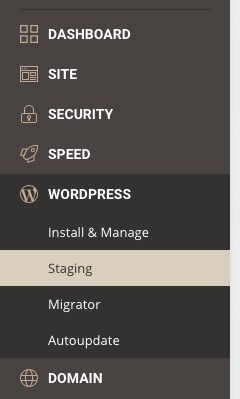
Select the domain you’d like to create a staging copy of.
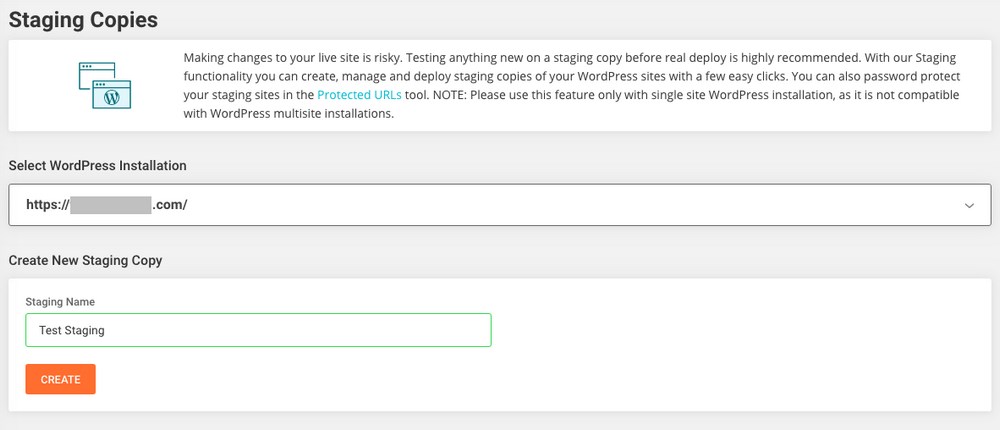
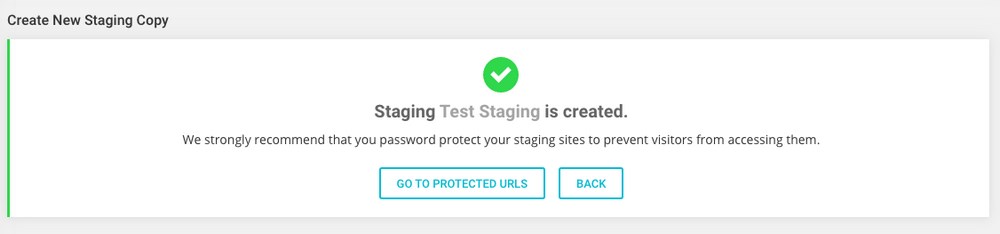
Create a name for the staging copy, and click Create.
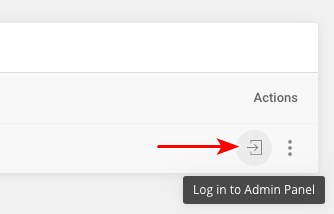
To access the WordPress dashboard of your staging site, click the icon adjacent to the three dots under Actions.
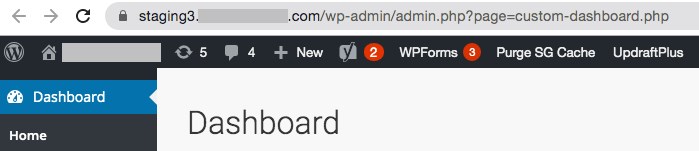
You will now be redirected to your staging site’s WordPress dashboard.
You are now free to perform updates or maintenance and play around on the staging site without having to worry about what will happen to visitors!
WordPress Stuck in Maintenance Mode
Have you ever faced a situation where you’ve not been able to leave maintenance mode?
You have disabled the setting but your live site still shows your maintenance page?
This is more common than it should be, but there’s an easy fix.
You’ll need to log into your web hosting account and access the file manager.
Navigate to the WordPress directory and delete the .maintenance file.
Force reload your site (CTRL + R or CTRL + F5) and it should load as normal.
It’s perfectly safe to delete that file and won’t impact your site in any way except to return it to service.
WordPress Maintenance Mode
You may not need to use maintenance mode very often, but you’ll definitely use it at some point.
When that time comes, it helps to know exactly what to do and how to do it. That’s what we hope to have shared in this post.
Using a maintenance mode plugin is the easiest way, but you have 3 methods to use.
However you do it, time it right, test everything and then test again. Your visitors will thank you for it!
Do you use maintenance mode? How do you do it? Tell us about it below!



No Content
Disclosure: This blog may contain affiliate links. If you make a purchase through one of these links, we may receive a small commission. Read disclosure. Rest assured that we only recommend products that we have personally used and believe will add value to our readers. Thanks for your support!








Man you guys missed mentioning using one of your own plugins! I use Convert Pro to create a full-page pop-up that’s active for everyone all the time. Design the pop-up to say that the site is under maintenance and just enable it & disable it like you do any other Convert Pro pop-up.
Hello Sharif,
That’s a nice little trick! Thanks for sharing. 🙂
When having access to your root directory (the one containing ‘.htaccess’, ‘wp-settings.php’ etc.) you could add a file ‘my_index.html’. This file can be of any HTML content and thus gives you the chance to show a totally self-designed message to the visitors. If ‘index.html’ already exists rename it to ‘index1.html’. Rename ‘my_index.html’ to ‘index.html’.
Rename your ‘index.php’ to ‘index1.php’ – and WordPress will load your ‘index.html’ as soon as a visitor is calling your website.
To disable this kind of maintenance mode simply revert the steps.